Born from

_The problem:
I have been using Supabase (the free, open-source Firebase alternative) for an ongoing project. While the project is not getting daily updates, the data is still very much valuable. Supabase’s free tier policy means they pause inactive databases after a week, giving you 90 days to unpause before they reallocate resources.
_The wake-up call:
One too many close calls with these deletion warnings made me realize I needed a reliable backup solution. Sure, I could manually head to the database every few days and do some querying (to keep it active) or manually export each table as csv/excel, but let’s be honest - who has time for that?
_The solution:
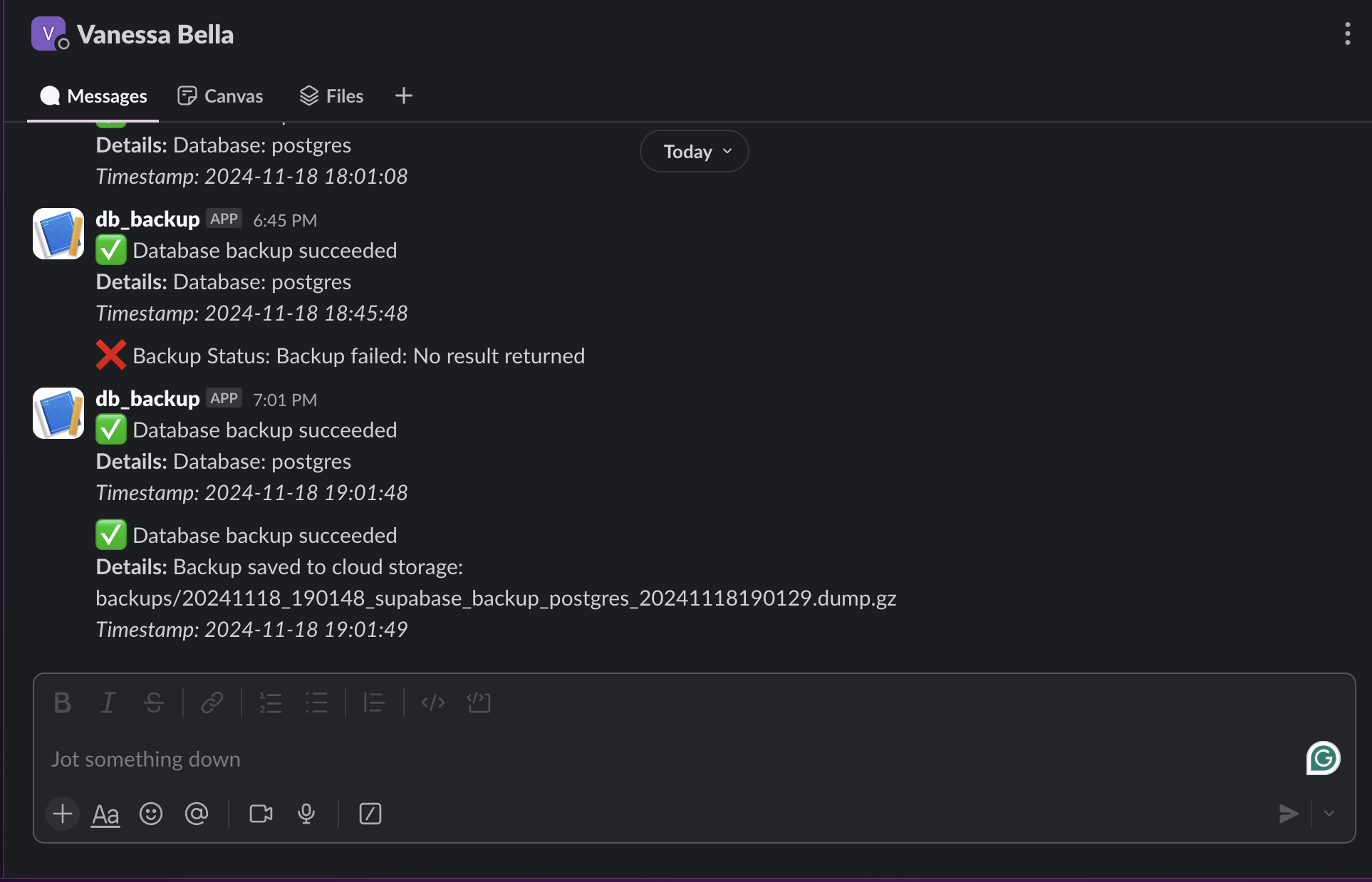
This command-line utility was built to help me automate my database backups. It’s not just a simple backup tool - but it also handles compression, cloud storage, and even sends Slack notifications so I know everything’s working, backup was successful or it failed. The real game-changer? A cron scheduler that runs every 8 days, just before Supabase’s pause threshold.
_Key features:
- Automated PostgreSQL database backups (expandable to other databases)
- Google Cloud Storage integration for reliable cloud storage
- Compression to keep storage costs down
- Slack notifications for backup status
- Detailed logging system
- Restore capabilities (because backups are useless if you can’t restore them)
- Both CLI and scheduled operation modes
_Technical highlights:
The project gave me hands-on experience with:
- Python’s subprocess module for database operations
- Google Cloud Storage integration
- Command-line interface design (for the command lines)
- Logging and notification systems (via Slack)
- Cron job scheduling (so backup is automated)
- Error handling
_Learning outcomes:
This project showed me how different pieces of infrastructure (database, cloud storage, notification systems) can work together to create a robust solution. It made sense to approach things step by step, hence me implementing microservices.
Microservices: the microservices implemented in this project are:
- Authentication
- User Management
- Grocery List Management
- Shopping Session Management
- Notification System
- Product catalog
- Order processing
- Payment processing
- Delivery tracking
Each of the microservices has its own database, with API creating a modular effect that allowed me to work on each service independently. (The project wasn’t built in a day, so it made sense to me to approach things this way.)
Database design: because a database can break or make a project. I went for 5 tables:
- Users/Customers
- Grocery Lists
- Grocery Items
- Shopping Sessions
- Shopping Session Items
Authentication: I went for Clerk for authentication. Since by design the Users table has a “role” column, I implemented a “role-based access control” system with separate signup flow. A user would register from the regular signup flow and would automatically the “customer” role. The admin role would be assigned to a user when they register from the admin protected signup flow.
The most satisfying part? No more anxiety about losing my data to automated cleanup processes.
Check out the code.
_Future plans:
I’m working on adding support for MySQL and MongoDB, and considering a simple web interface for monitoring backup status. The architecture is intentionally modular, making it easy to add new database types and storage options.
Remember: when using “free” services, always have a backup plan - literally.